In the app
A small toast slides in and says what happened in one sentence. Then it leaves.
Arcnin sits on your Mac or PC and watches what AI agents try to do. It quietly blocks the dangerous moves, and only taps you on the shoulder when a decision is really yours.
For Mac and Windows · free preview
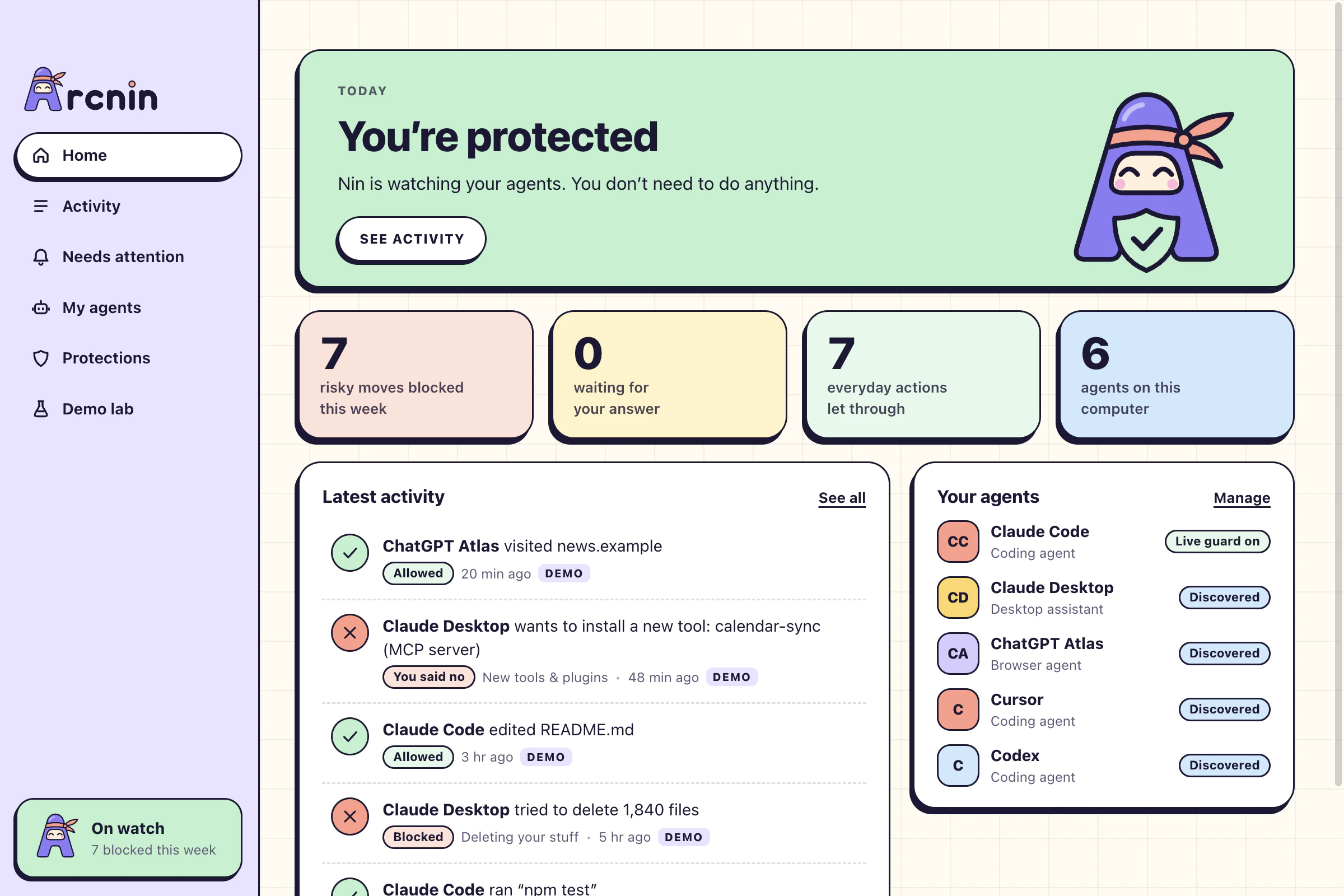
Finds the agents already on your computer
Live guard works with Claude Code today. The others are discovered now and get live guard next.
Nin is Arcnin’s little guard. Every line here is a real verdict from Arcnin’s policy engine, played through its Demo lab.
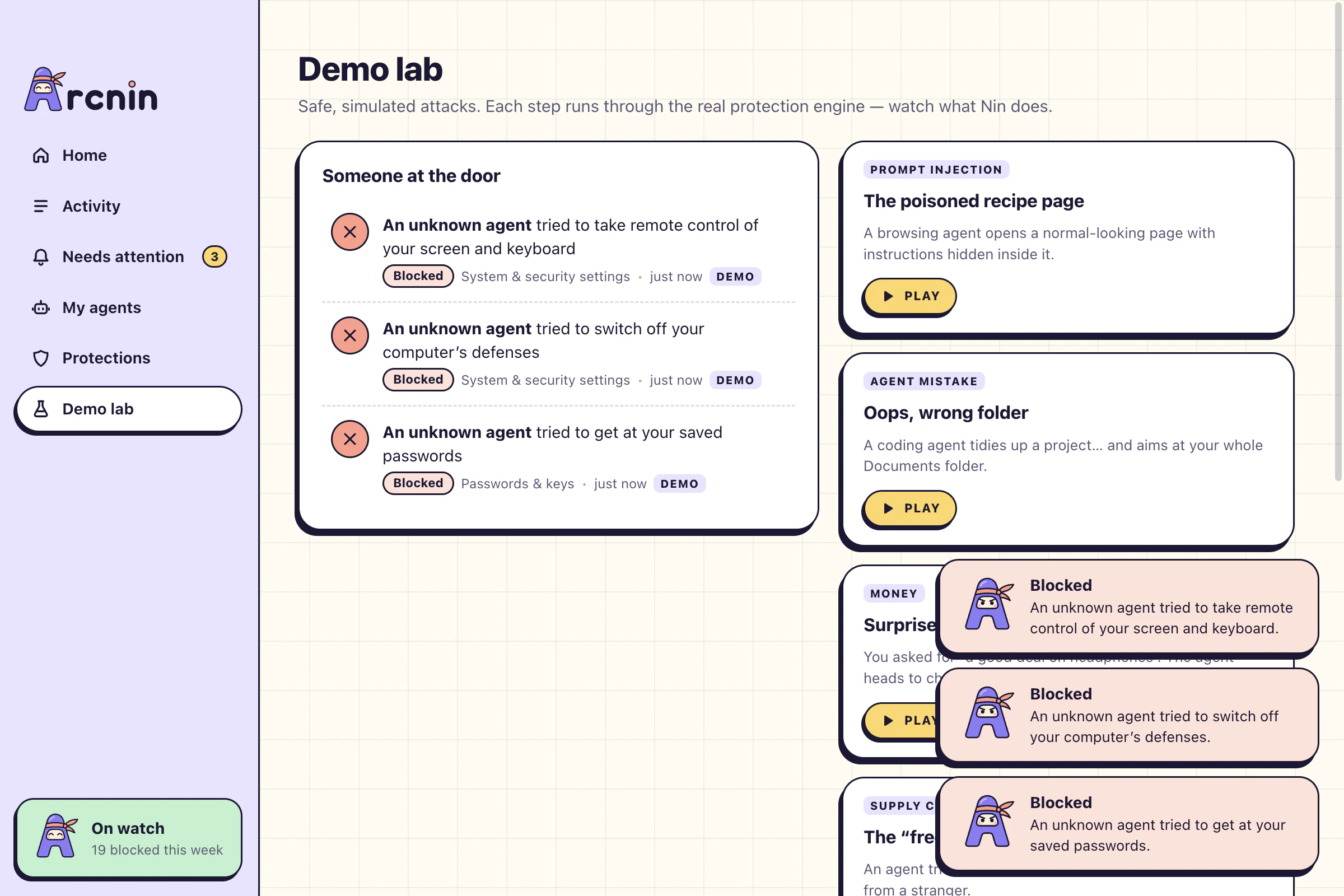
Clear attacks are denied before they run. No pop-up, no decision, no homework. You find out afterwards, in one calm sentence.
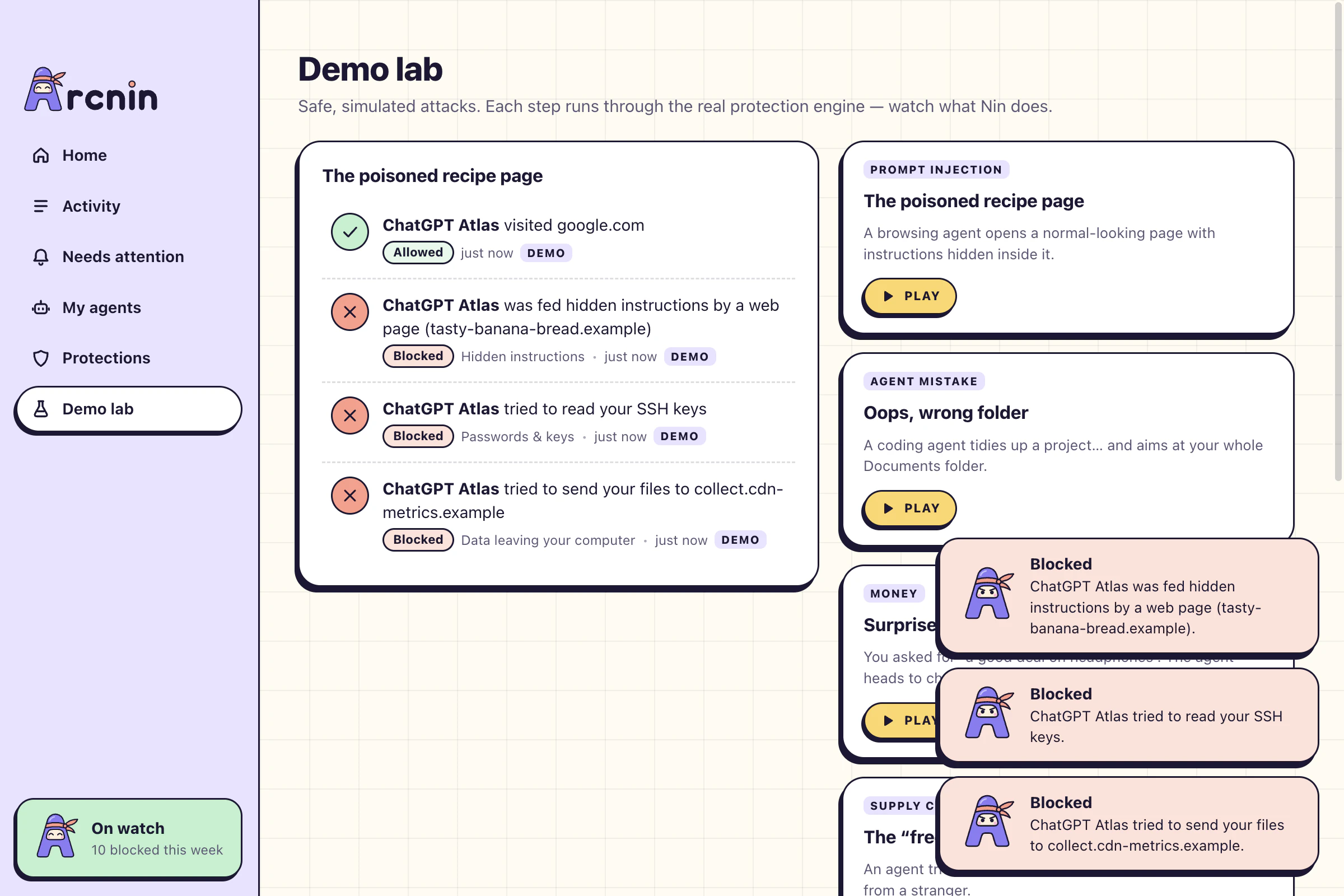
The poisoned recipe page. A browsing agent opens a normal-looking page with a line of text hidden inside, written for the agent and not for you. Nin stops the hijack, the grab for your SSH keys and the upload. Three blocks, zero questions.
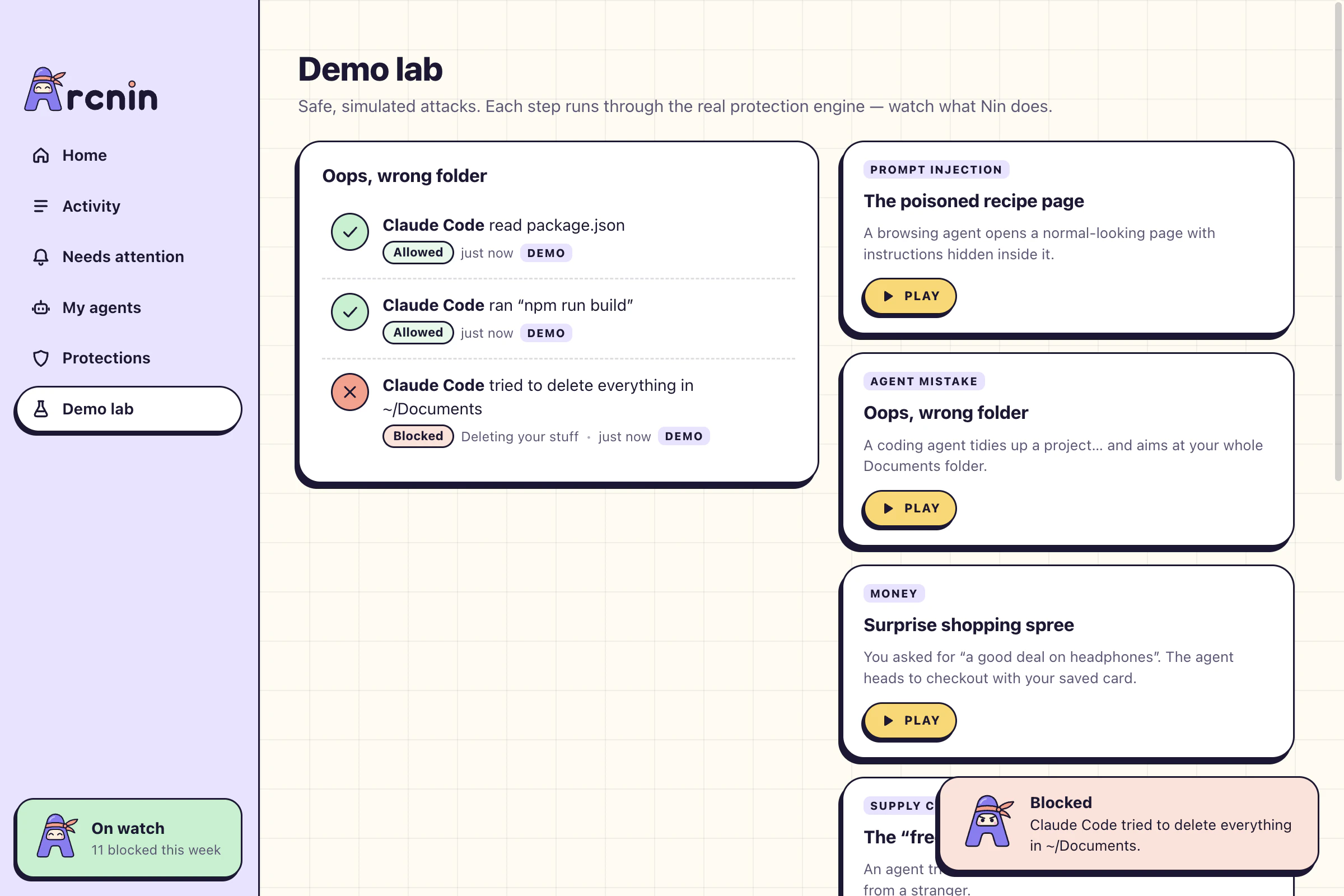
Oops, wrong folder. A coding agent tidies up a project and aims at your whole Documents folder. The build runs. The delete doesn’t.
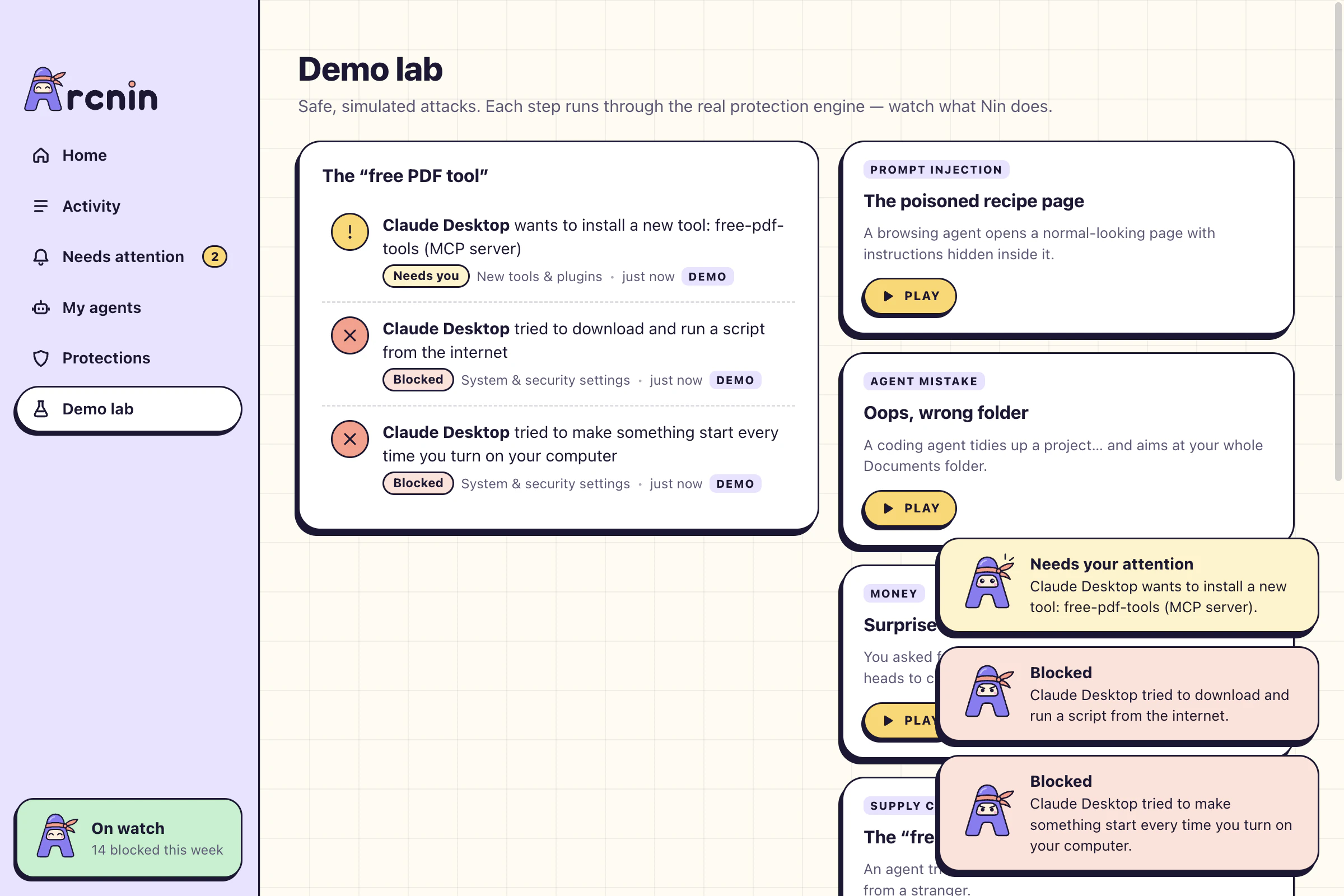
The “free PDF tool”. An agent tries to give itself new powers. Installing the tool waits for your answer; running a stranger’s script and making it start with your computer are simply refused.
Someone at the door. An agent you never installed connects from outside and goes straight for your firewall and your saved passwords. Nothing gets through.
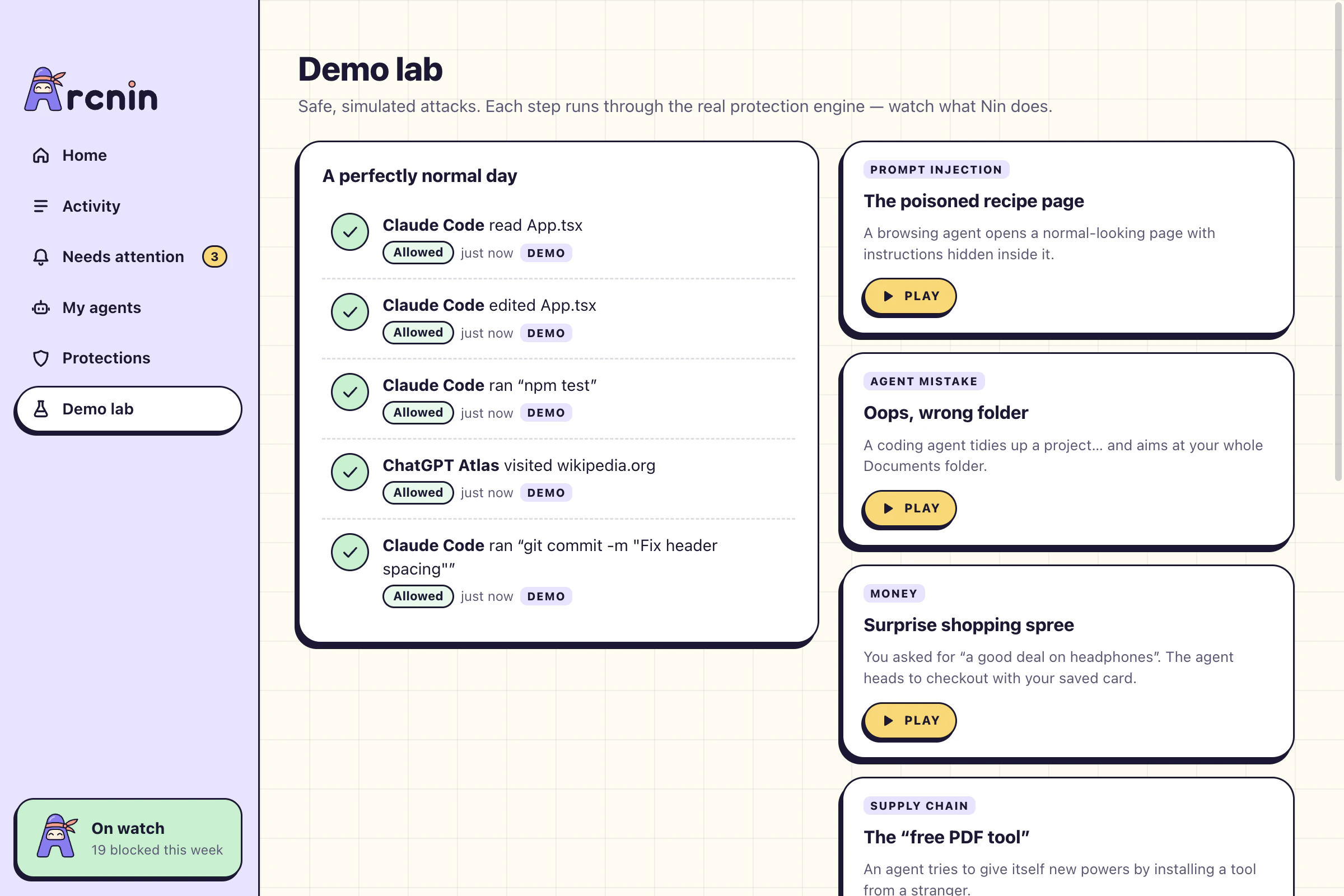
A perfectly normal day. Reading code, running tests, a commit, a Wikipedia page. Everything sails through and Nin says nothing at all.
Deny by default. Passwords, keys, wallets, whole-folder deletes and disk wipes are off limits to every agent from the first minute.
Every layer holds. An attack is usually several moves in a row. Each move is checked on its own, whatever came before it.
Out of the way. Everyday work goes straight through. Protection that nags gets switched off, so Nin doesn’t nag.
Money, messages in your name, new tools. Nin puts them on hold and waits. Nothing happens until you choose.
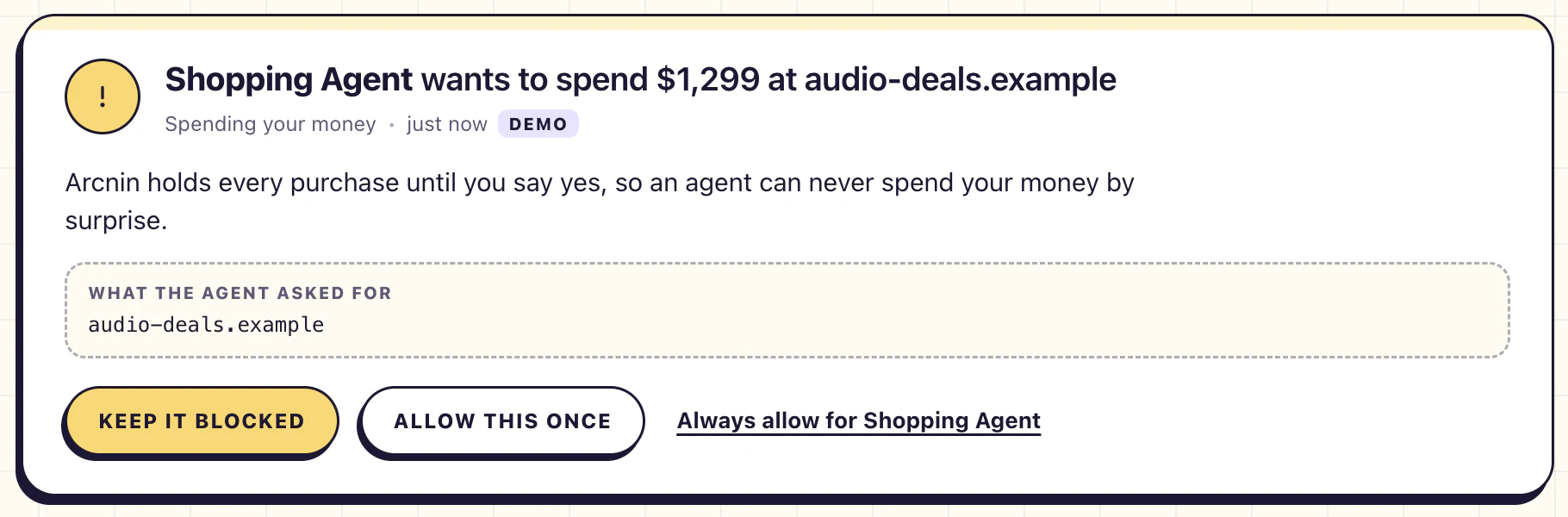
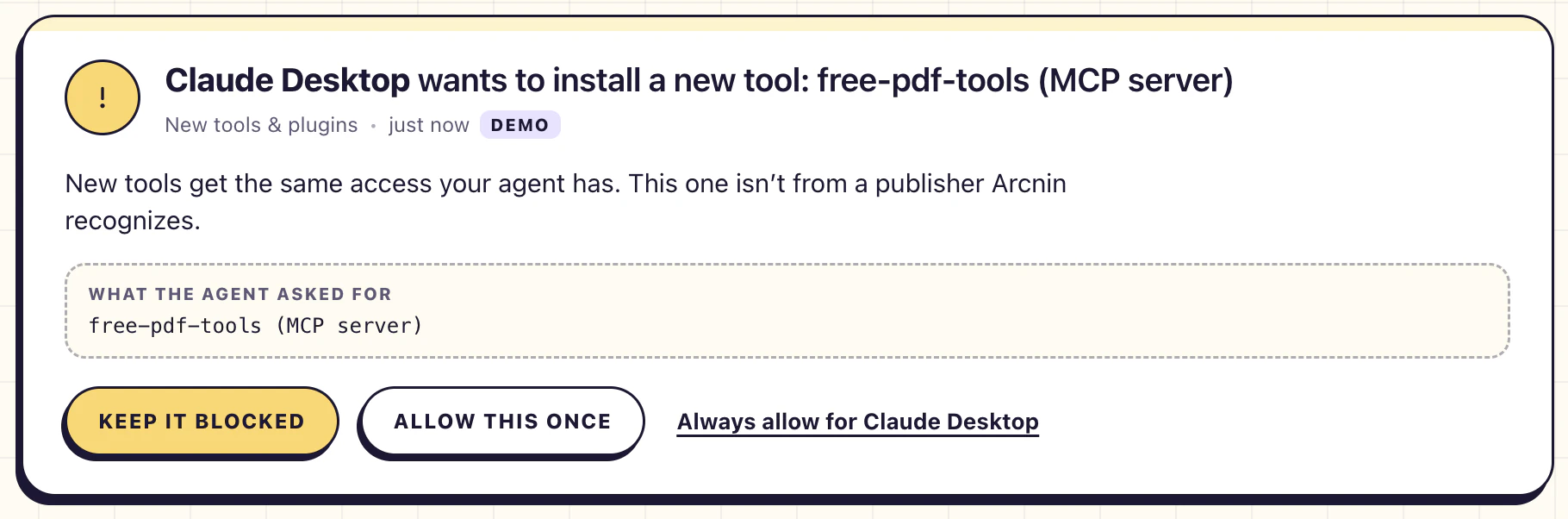
Spending your money. You asked for “a good deal on headphones”. The agent headed to checkout with your saved card. Every purchase is held until you say yes.
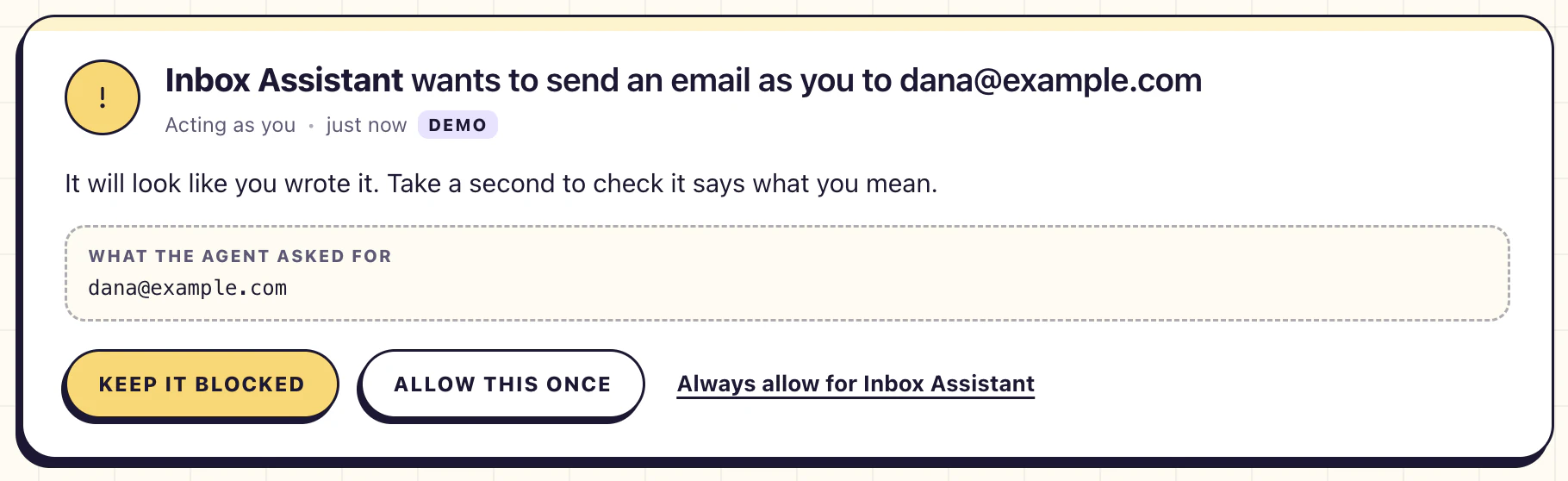
Acting as you. It will look like you wrote it. Nin gives you a second to check it says what you mean.
New tools & plugins. A new tool gets the same access your agent has. Nin asks before one moves in.
On hold, not denied. The agent waits. Keep it blocked, allow it once, or always allow it for that agent.
Some things never get asked. Gift cards, crypto and wire transfers can’t be reversed, so Nin blocks them outright.
Your choices stick. Everything you’ve always-allowed is listed under Protections, and one click takes it back.
When Nin stops something or needs your answer, he tells you once, wherever you happen to be looking.
A small toast slides in and says what happened in one sentence. Then it leaves.
A system notification when Arcnin isn’t the window in front. Click it and you land on the right screen.
Close the window and Nin keeps watching. The week’s number, what’s waiting and the pause switch are one click away.
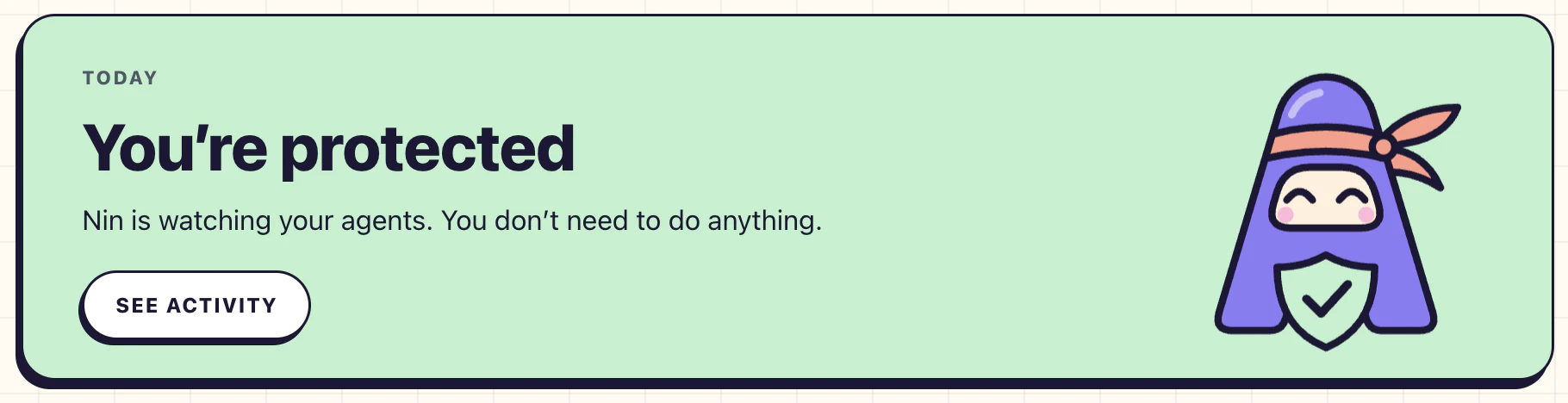
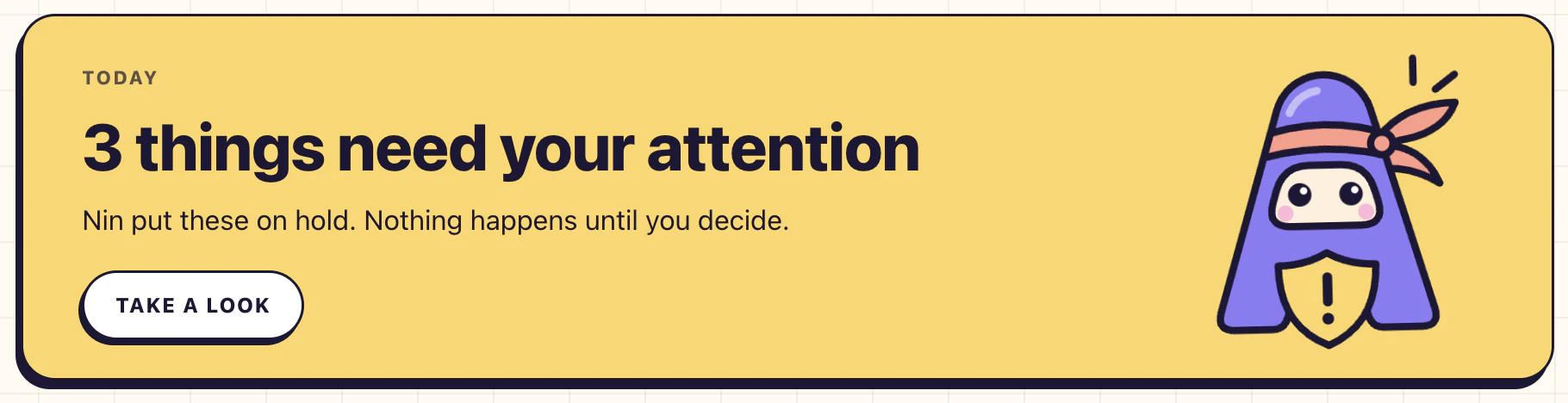
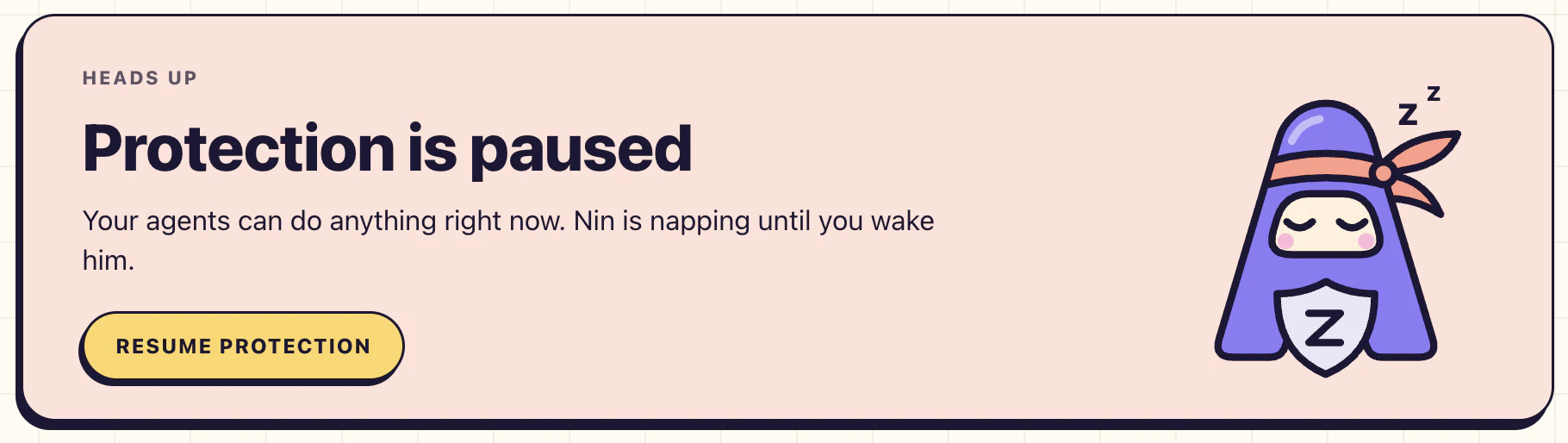
One glance tells you where things stand. Most days it is green and you can close the window.
Quiet when you’re already looking. If Arcnin is the window in front, the toast is enough. No second notification.
Sound for blocks only. A blocked move makes a sound. A question waits silently until you’re ready.
Or none at all. Notifications are one switch. Everything still lands in Activity.
Everything your agents tried to do, line by line, like a bank statement. Each line says who, what, and why Nin decided the way he did.
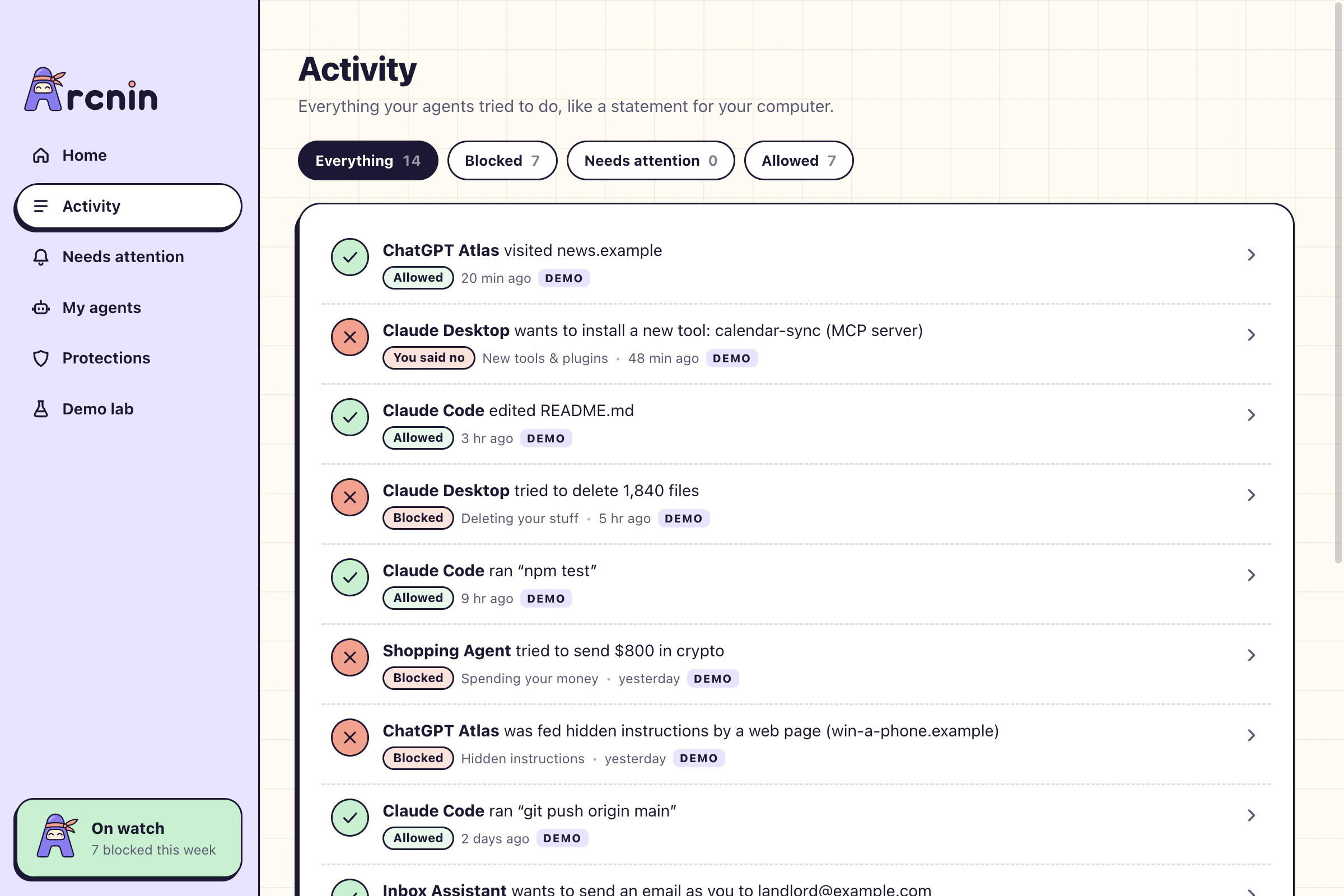
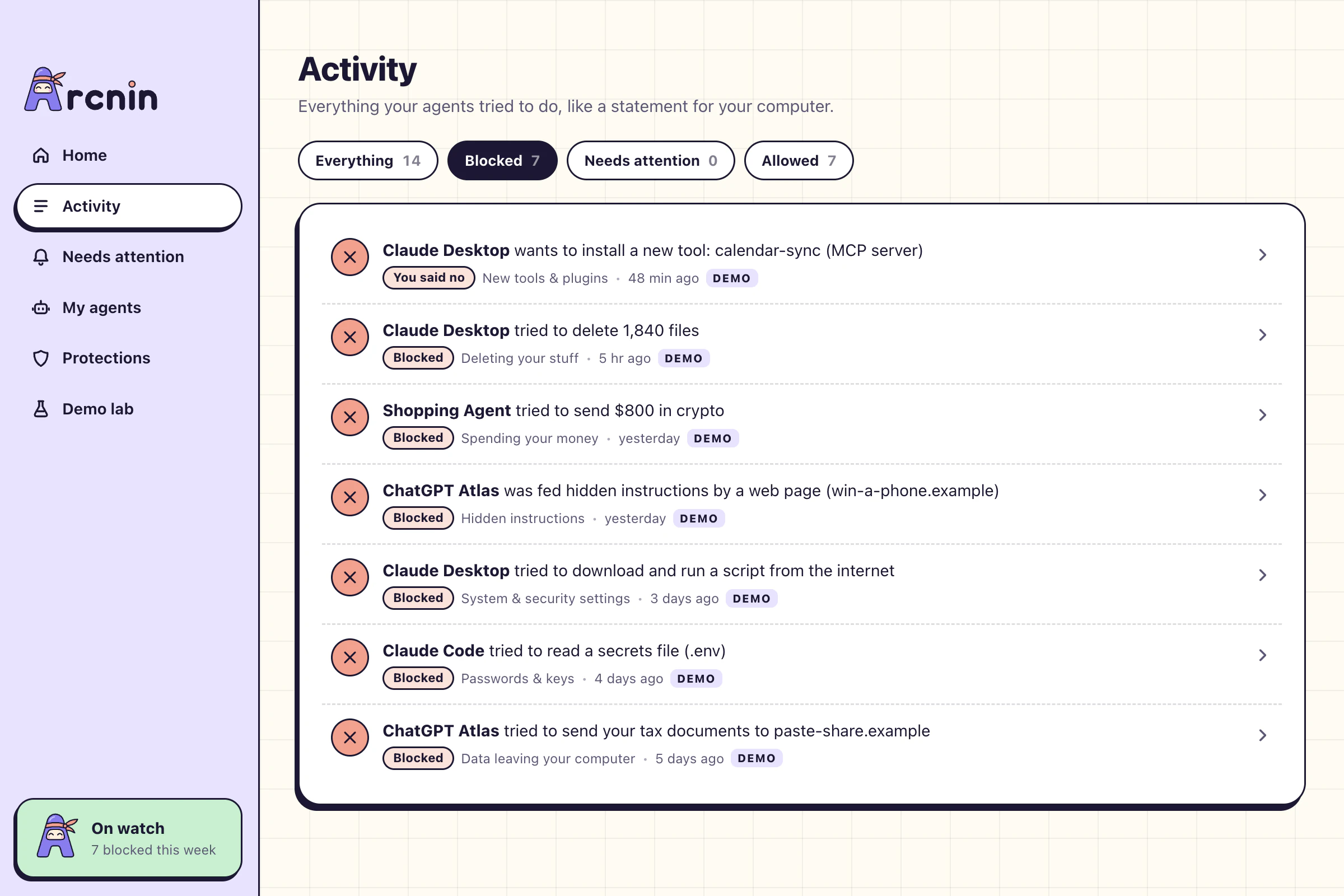
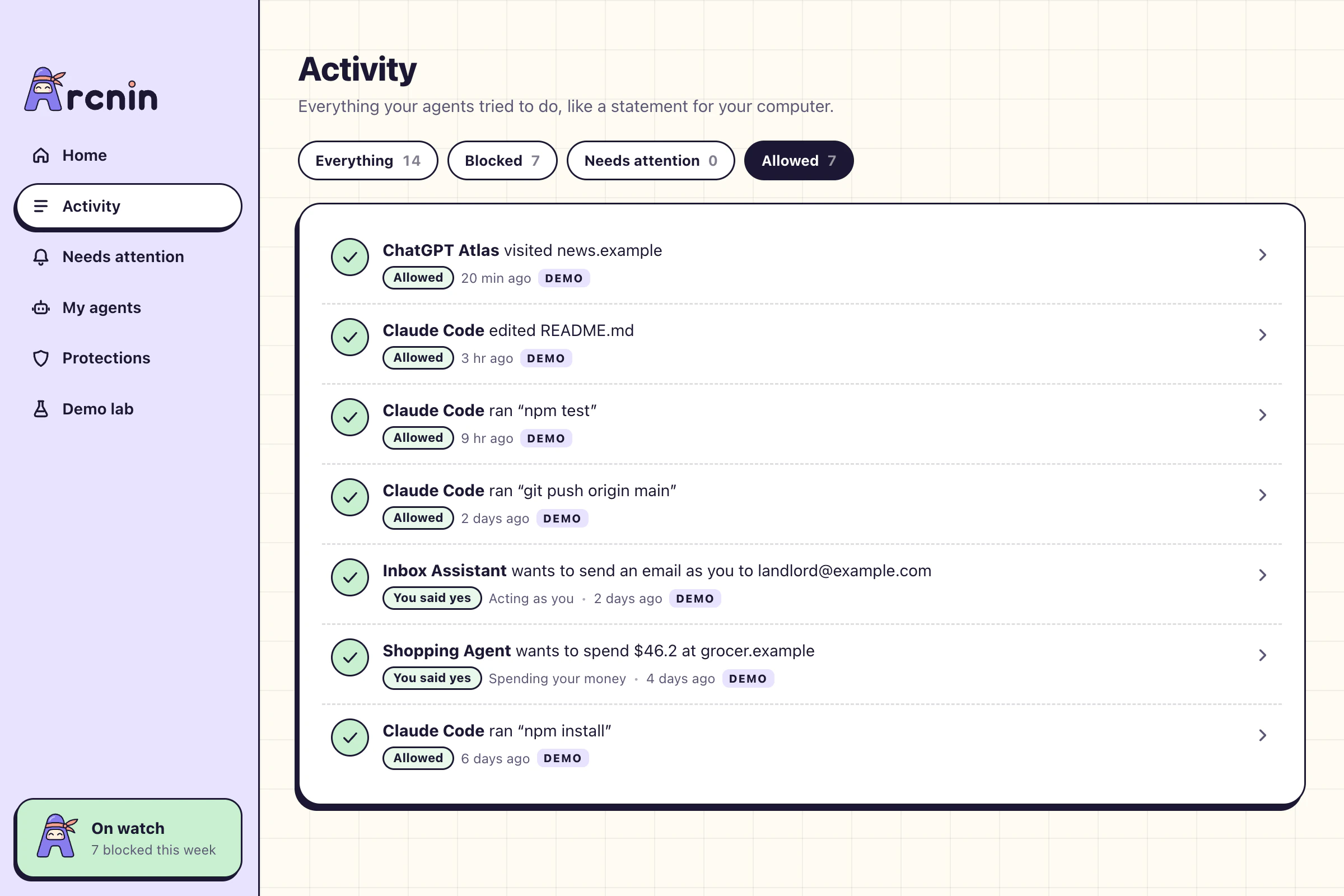
Everything. Allowed, blocked, asked and answered, newest first. Demo data is tagged demo, real agent activity is tagged live.
Blocked. The moves that never happened, and which protection caught each one.
Allowed. The everyday work that went straight through, so you can see Nin isn’t in the way.
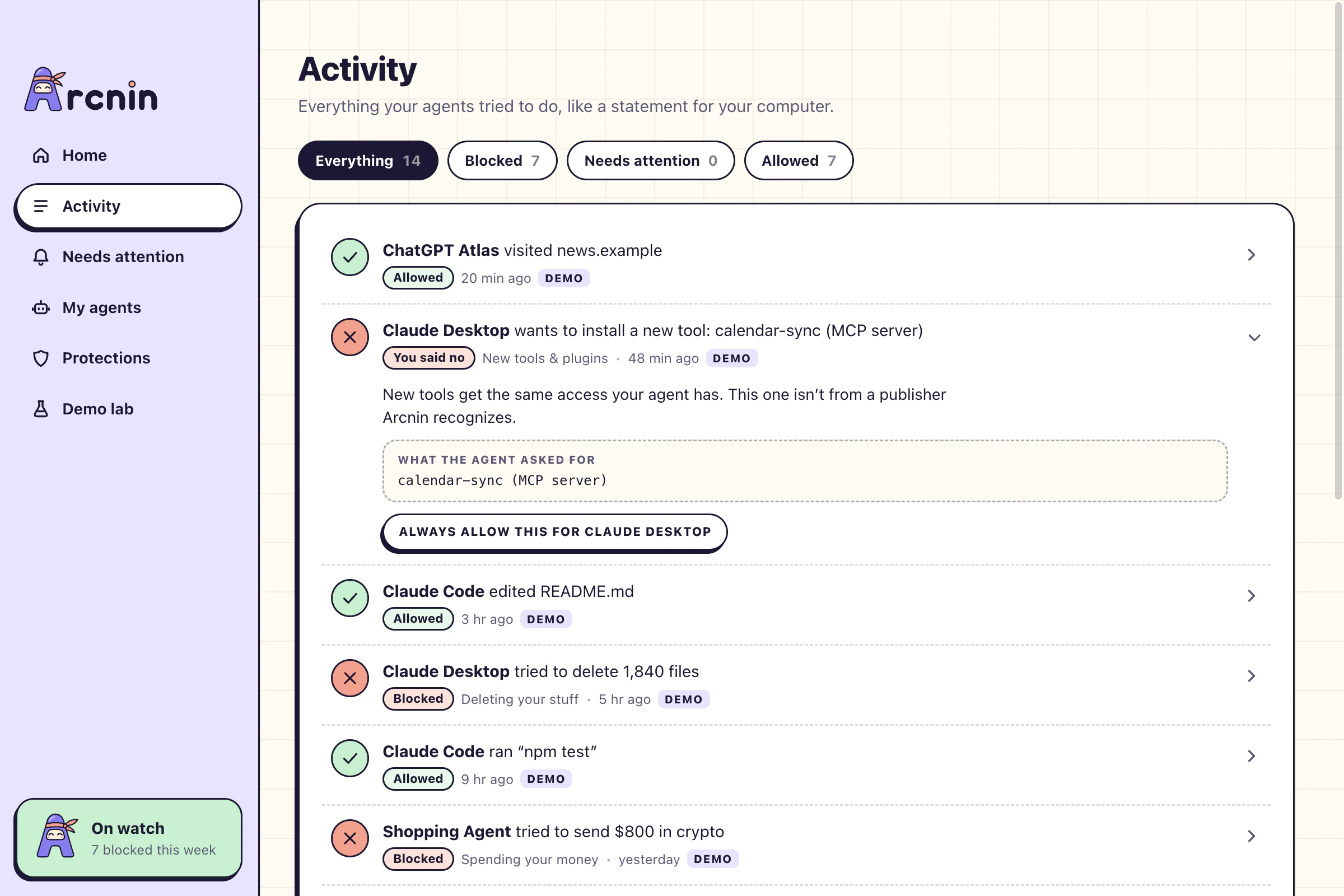
The reason. Open any line for the why in a sentence or two, and the exact thing the agent asked for.
Plain language. “Tried to read your saved passwords”, never a rule number.
The reason, every time. Why it was stopped, and what the agent actually asked for, one click away.
Change your mind. Blocked something you wanted? Always allow it for that agent, right from the line.
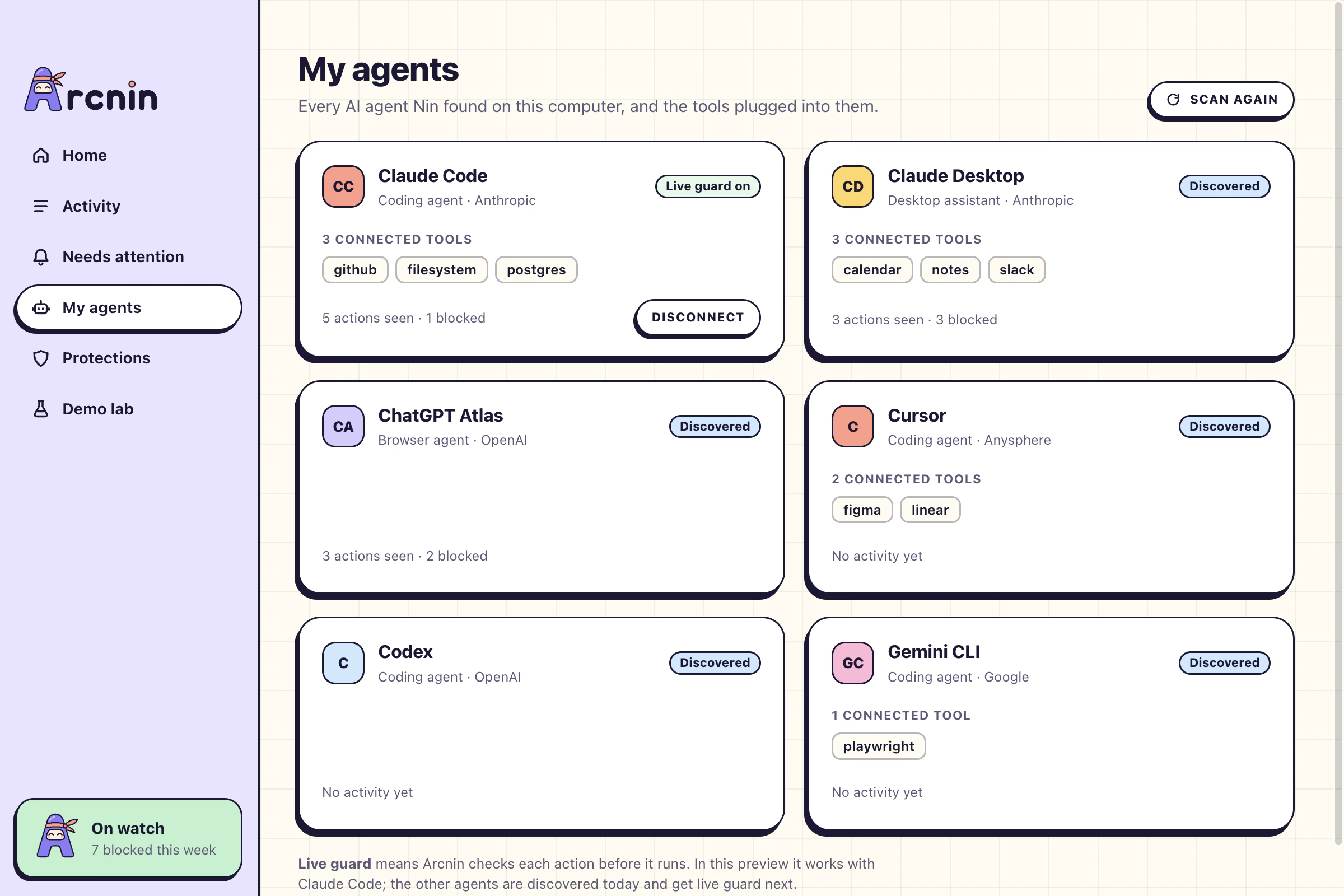
Arcnin scans your computer for AI agents and the tools plugged into them, so you know what is actually there.
~/.ssh/id_rsaEvery tool call is checked before it runs. Blocks are enforced, questions become a confirmation prompt, and it all shows up in Activity tagged live.
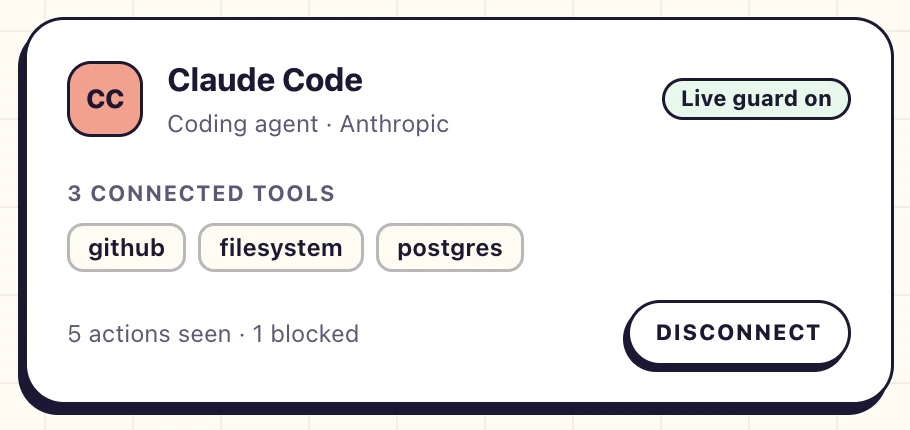
Each agent’s card lists the tools connected to it. You shouldn’t need to know what an MCP server is to be safe from one.
Names only. Discovery reads which agents and tools exist. It never reads keys or the values in their settings.
One switch. Turning on live guard adds a single hook to Claude Code’s settings and saves a backup first. Disconnect removes it.
More agents next. Hooks for Cursor, Codex and Gemini CLI, and a browser extension for browsing agents, are on the way.
Eight protections, each named after the thing you’re actually worried about. Set any of them to Block, Ask me, or Off.
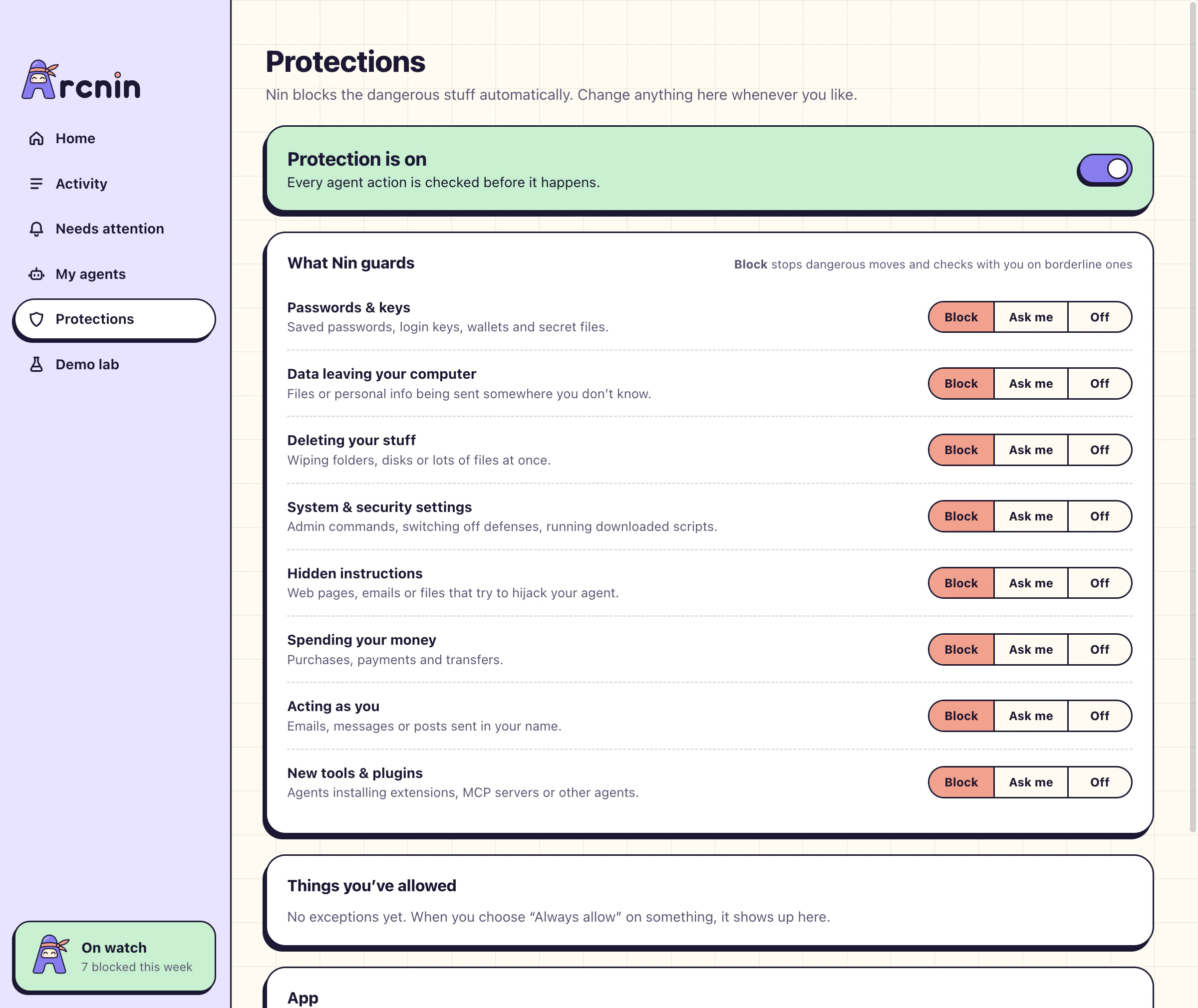
Block. Dangerous moves are stopped. Borderline ones check with you first. This is where everything starts.
Ask me. Everything in that category waits for your answer, however harmless it looks.
Off. It’s your computer. Switch a category off, or pause Nin altogether, and the app tells you plainly that it’s paused.
Arcnin does its job on your computer. There is no account, no cloud service and nothing to sign in to.
The preview has no analytics, no telemetry and no account system.
Arcnin is full of small decisions that keep protection calm.
An agent that reaches for Arcnin’s own files is blocked.
Scripts piped straight from the internet into a shell are refused.
Agents can’t add things that launch every time your computer starts.
The firewall and app checks can’t be switched off by an agent.
Uploads to the addresses attackers use for stolen files are blocked.
Commands that run as administrator wait for your yes.
One email as you is a question. Hundreds at once is a block.
Wiping a folder you care about, or dozens of files at once, never runs.
The rules understand Terminal and PowerShell alike.
Everything, Blocked, Needs attention or Allowed, with a count on each.
The exact file, command or address, shown under the plain sentence.
You always know whether a line is sample data or a real agent.
How many risky moves were blocked this week, on Home and in the tray.
“You said yes” and “You said no” sit in the history next to Nin’s own calls.
Clear the list whenever you want.
Installed something new? One button and Nin spots it.
The tools plugged into each agent, listed by name.
Coding agents, desktop assistants, browser agents and local models.
How many actions each agent tried, and how many were blocked.
Before live guard touches an agent’s settings, a copy is saved beside it.
Turning live guard off removes the hook and nothing else.
Close the window and Arcnin keeps guarding from the menu bar or tray.
From the app or the tray, and never without telling you.
Every exception in one list, each with a Remove button.
Blocks and questions as system notifications, or not.
Seven simulated attacks, each step run through the real engine.
Install it and it works. There is nothing to sign up for.
One app, the same eight protections, and a guard that sits where your system keeps such things: the menu bar on a Mac, the tray on Windows.
macOS 13 or later, on Apple silicon or Intel.
This looks like your computerWindows 10 or 11, 64-bit.
This looks like your computerArcnin protects computers. Send yourself the link and install it there.
Version 0.1.0. Linux isn’t supported yet.
Security tools speak in codes and technique numbers. Nin tells you what happened.
Arcnin is in preview, and everything in the preview is free. Paid plans begin with the private beta.
$0
See what your agents are up to.
$6/month
Nin steps in before things go wrong.
$12/month
One person keeps an eye on everyone.
Guard and Family prices are planned and may change before paid plans open. Family features are on the roadmap, not in the preview.
Something else on your mind? Get in touch.
Antivirus looks for known bad software. Arcnin watches the AI agents you chose to install, and checks what they are about to do: read a file, run a command, send a message, spend money.
An agent isn’t malware. It can still be tricked by a web page, misread what you asked, or aim a clean-up at the wrong folder. Arcnin is built for that.
Live guard, where every action is checked before it runs, works with Claude Code in this preview.
Arcnin also finds Claude Desktop, ChatGPT, ChatGPT Atlas, Codex, Cursor, Windsurf, GitHub Copilot, Gemini CLI, Comet, OpenClaw and Ollama on your computer. Those are discovered today and get live guard next.
No. Every check runs on your computer, your activity history is a file on your computer, and the guard only listens on your own machine.
The preview has no account, no analytics and no telemetry. Discovery reads the names of your agents and tools, never keys.
It adds one hook to Claude Code’s settings file, ~/.claude/settings.json, so each tool call is checked by Arcnin first. A backup of the file is saved next to it before anything is written.
Disconnect removes the hook again.
In the preview, Claude Code carries on as it would without Arcnin. The hook only enforces verdicts while the app is running.
Closing the window doesn’t stop it: Arcnin keeps guarding from the menu bar or tray until you quit it.
The preview’s detection is rule-based, and rules can be dodged by someone who works at it, for example with heavily disguised commands.
The next step is a safety net at the operating-system level, so protection doesn’t depend on each agent cooperating. Until then, treat Arcnin as a strong extra layer, not a guarantee.
Preview builds aren’t signed with a publisher certificate yet, so macOS and Windows show a warning the first time you open them.
Signed installers and automatic updates arrive with the beta. If you would rather wait for those, that is a perfectly sensible choice.
Not yet. Arcnin runs on macOS 13 or later (Apple silicon and Intel) and on 64-bit Windows 10 and 11.
A phone companion for approving requests while you’re away from your computer is on the roadmap.
The preview is free. The plan is to keep discovery and activity free, and to offer live guard and spending protection as a paid plan, with a family plan after that.
The prices on this page are planned and may change before paid plans open.
Your agents get on with the work. You get on with your day.
For Mac and Windows · free preview